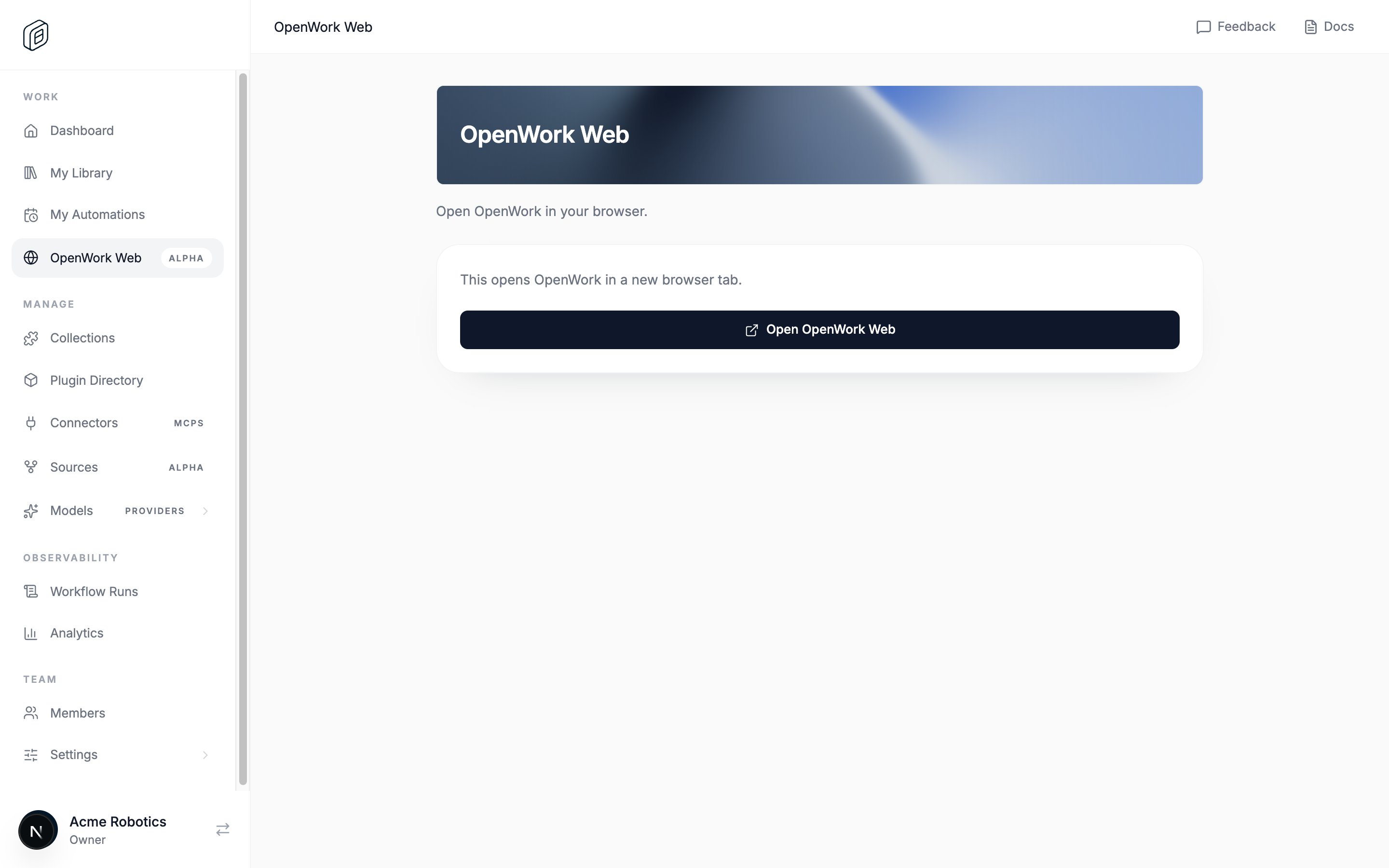
Hosted access. OpenWork Web is available to every organization when an OpenWork-hosted deployment explicitly enables it. A platform admin in Den /admin can also grant complimentary access to one specific organization while deployment-wide availability is off. Web billing must be configured before an owner or admin can purchase it. It costs $50 per joined organization member per month; pending invitations are not billed until they are accepted.
/dashboard/web to see the price, billable member quantity, expected monthly total, and purchase action. Access opens only after the organization’s subscription is confirmed.
Who can use it
Every joined member can see OpenWork Web when the hosted deployment offers it. An organization owner or admin purchases the subscription; all joined members receive access after it becomes active.
Self-hosted deployments do not show OpenWork Web by default: a missing or false DEN_OPENWORK_WEB_ENABLED value fails closed unless a platform admin in Den /admin has explicitly granted complimentary access to that organization. If you use an OpenWork-hosted organization and do not see it in the sidebar, email team@openworklabs.com so the deployment configuration or organization grant can be checked.
Open OpenWork Web
- Sign in to your organization dashboard.
- Click
OpenWork Web in the sidebar.
- If prompted, purchase OpenWork Web and wait for the subscription to be confirmed.
- Click
Open OpenWork Web.
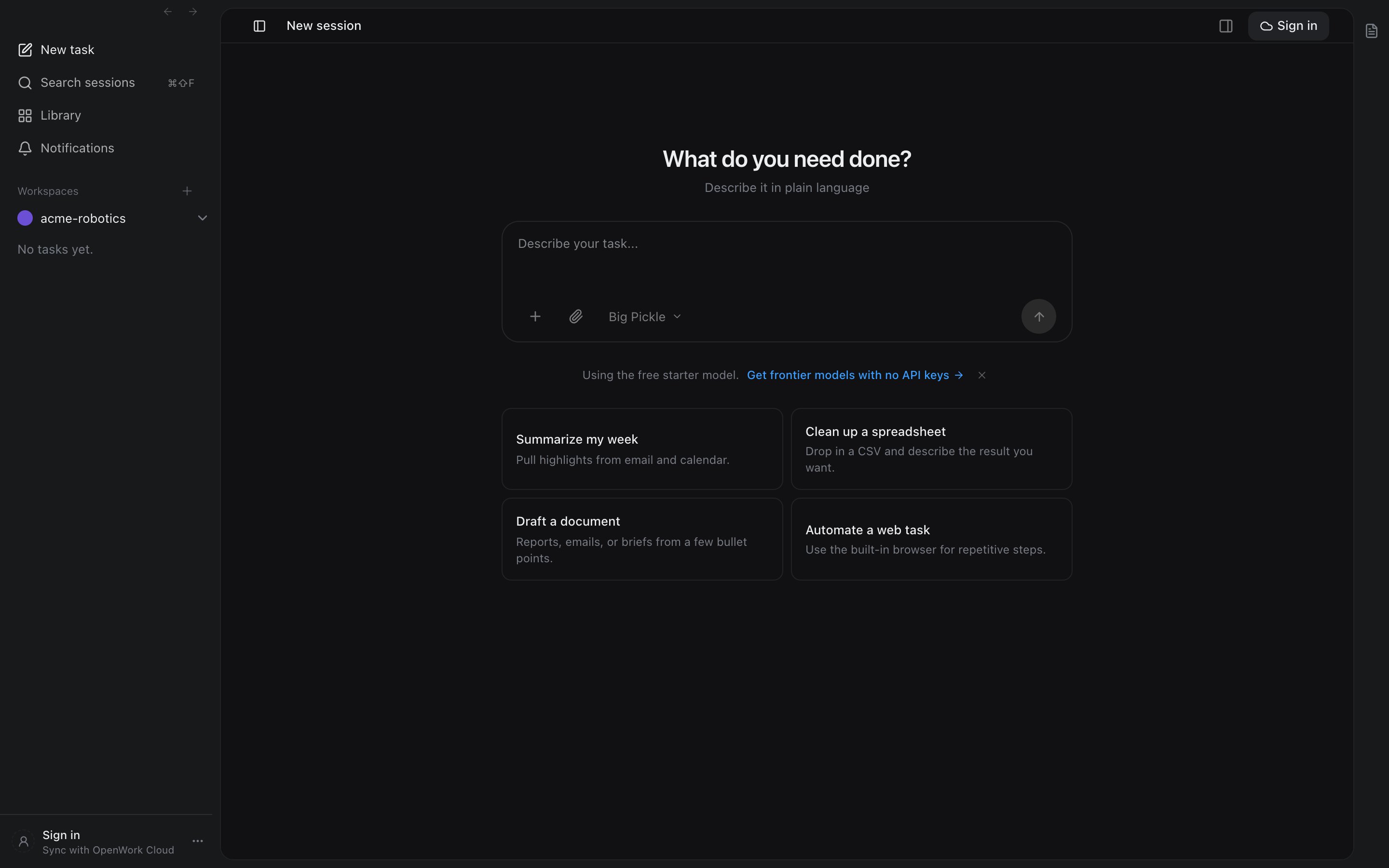
You are now looking at the full OpenWork interface in your browser.
Sleep and persistence
The hosted instance sleeps when it is idle and wakes when you open it again. Files in the workspace persist across sleep, so you can close the tab and come back later without losing your work.
Early-access limitation
During early access, the instance URL is itself the credential. Do not share it, paste it into public chats, or publish it anywhere public.
If you accidentally share the URL, ask an OpenWork admin for help.