> ## Documentation Index
> Fetch the complete documentation index at: https://openworklabs.com/docs/llms.txt
> Use this file to discover all available pages before exploring further.
# Add Anthropic API key
> Create an Anthropic API key and use it in OpenWork
Anthropic has disabled 3rd party authentication for their OAuth. In order to continue supporting Anthropic based models in OpenWork, we now default to manual API key entry for Anthropic.
That means you create the key in Anthropic first, then paste it into OpenWork.
## Before you start
* You need an Anthropic account at [platform.claude.com](https://platform.claude.com).
* Your Claude subscription and your Anthropic API billing are not always the same thing, so make sure API access is enabled on your Anthropic account.
* Treat the key like a password. Anthropic will only show the full value when you create it.
If this key should be shared across a team, add Anthropic once in OpenWork Cloud `LLM Providers` and import it from [Settings -> Cloud](/cloud/share-with-your-team/managed-llm-provider) instead of pasting it into each workspace separately.
## Create the key in Anthropic
1. Sign in at [platform.claude.com](https://platform.claude.com).
2. Open the `API Keys` page.
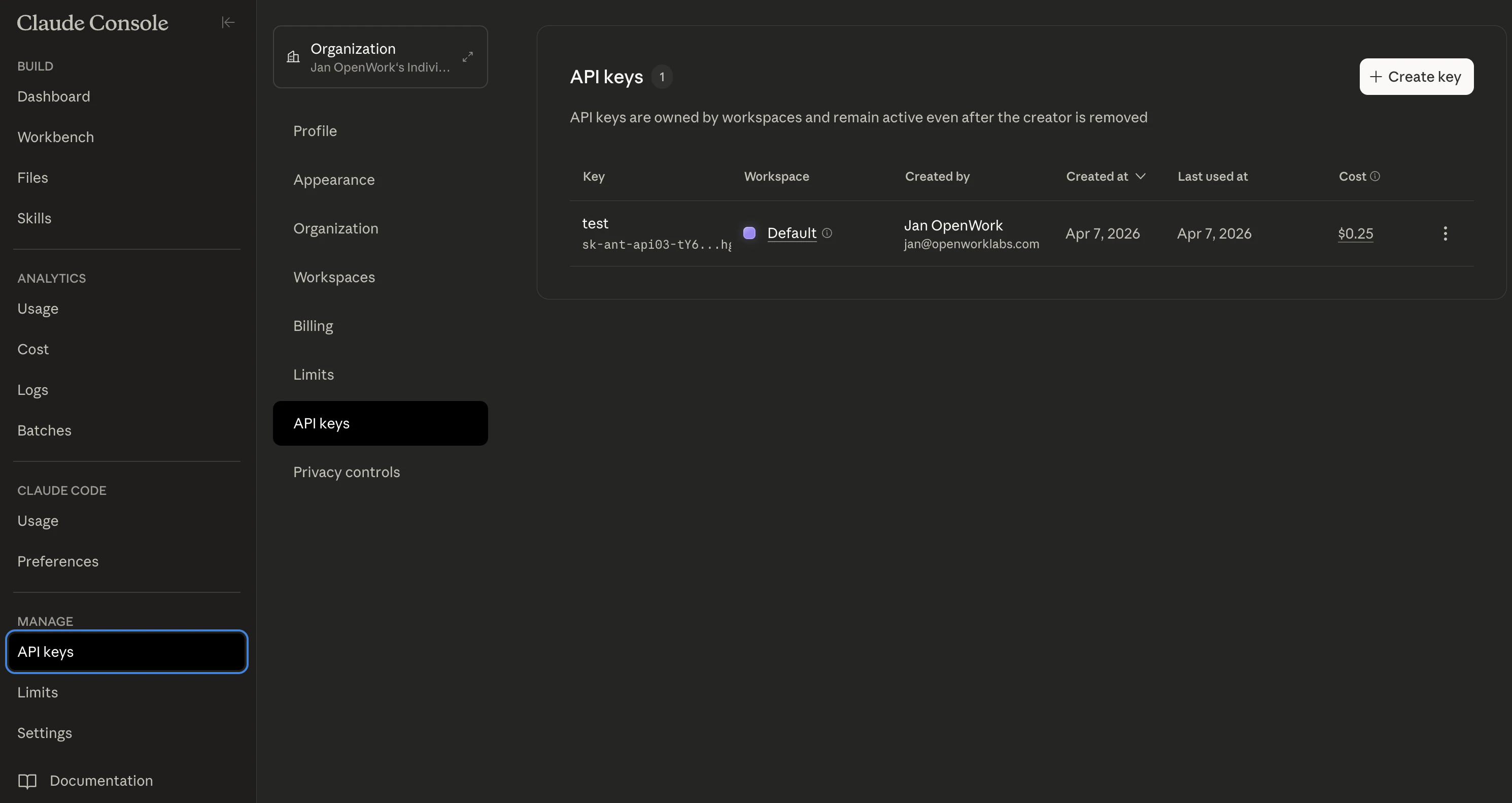 3. Click `Create Key`.
4. Give the key a recognizable name like `OpenWork`.
3. Click `Create Key`.
4. Give the key a recognizable name like `OpenWork`.
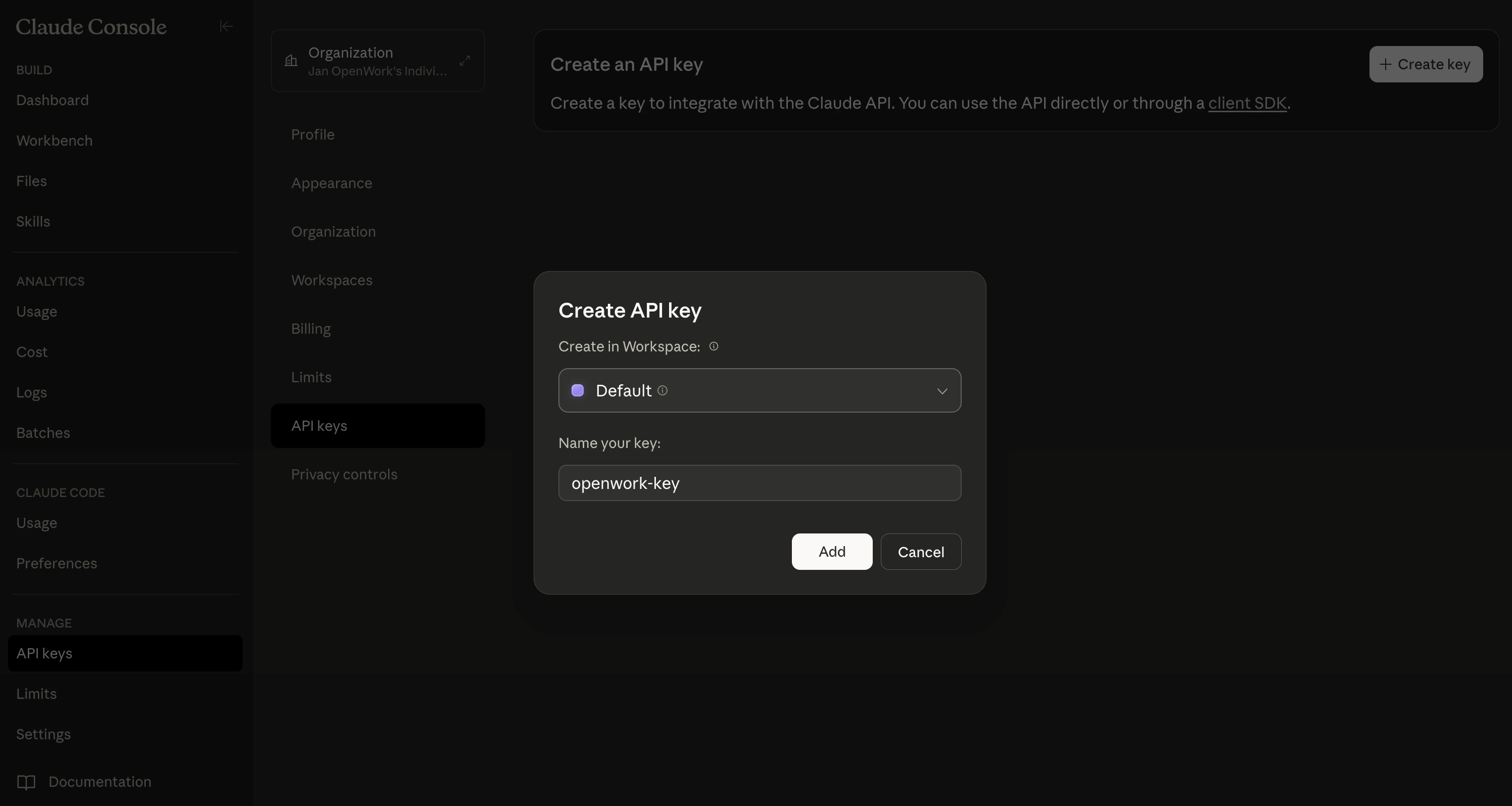 5. Copy the new key right away. It should look like `sk-ant-...`.
## Add the key to OpenWork
1. Open `Settings` in OpenWork.
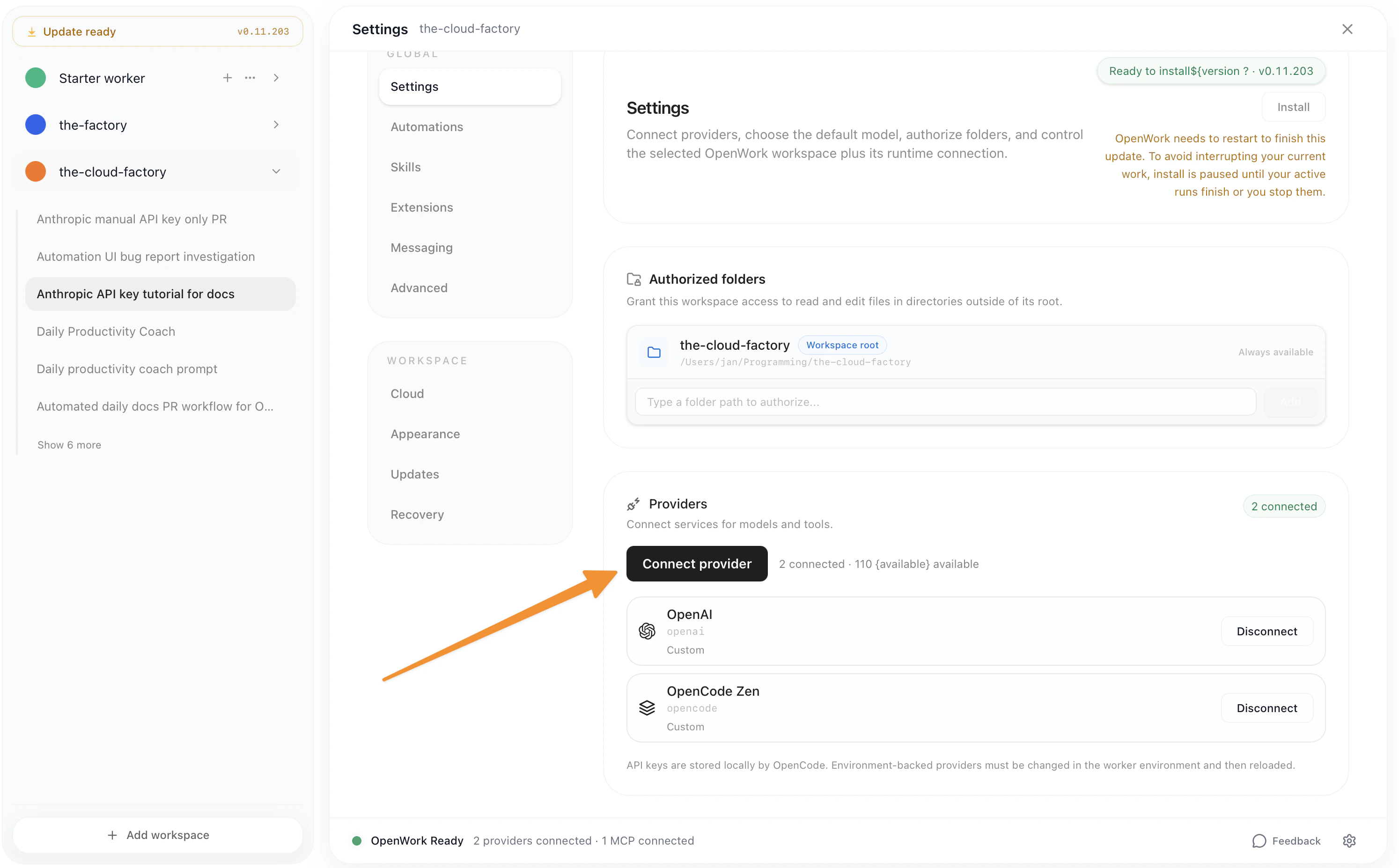
2. Go to `Connect Provider` and choose `Anthropic`.
3. Paste the API key into the manual key field.
4. Save the provider, then choose an Anthropic model in chat.
5. Copy the new key right away. It should look like `sk-ant-...`.
## Add the key to OpenWork
1. Open `Settings` in OpenWork.
2. Go to `Connect Provider` and choose `Anthropic`.
3. Paste the API key into the manual key field.
4. Save the provider, then choose an Anthropic model in chat.
 ## Common issues
* If the key is rejected, make sure you copied the full value without extra spaces.
* If you cannot see `API Keys`, check that your Anthropic account has API access and billing set up.
* If you lose the key, create a new one in Anthropic and update OpenWork with the new value.
The same general process applies to most providers that use manual API keys: create the key in the provider's developer console, copy it once, and paste it into OpenWork.
## Common issues
* If the key is rejected, make sure you copied the full value without extra spaces.
* If you cannot see `API Keys`, check that your Anthropic account has API access and billing set up.
* If you lose the key, create a new one in Anthropic and update OpenWork with the new value.
The same general process applies to most providers that use manual API keys: create the key in the provider's developer console, copy it once, and paste it into OpenWork.